

Description
Download Online Voice Recorder – Chrome Apps, online, audio, voice, recorder, microphone, sound, recording, free, online, tool, utility, Windows, Mac, secure, latest version, update, PC software, desktop application
Overview
Online Voice Recorder is a lightweight, free desktop application designed to capture audio directly from a computer’s microphone. Its primary purpose is to provide a simple and accessible solution for users who need to record voice notes, interviews, lectures, or spoken content without the complexity of advanced audio software. The tool is ideal for students, remote workers, content creators, and professionals who require quick, no-frills audio capture for personal or professional use. By focusing on core functionality, it eliminates the need for extensive setup or technical knowledge, making it suitable for both beginners and experienced users alike. The application runs directly on Windows and Mac operating systems, offering cross-platform compatibility for users across different environments. While the developer did not provide additional background information, the software’s minimalistic design and straightforward workflow suggest a focus on usability and efficiency. Real-world usage scenarios include recording meeting summaries, capturing voice memos, or archiving spoken content for later transcription or review.
Key Features & Capabilities
- Microphone Audio Recording – The application enables real-time recording of audio from the connected microphone, allowing users to capture spoken words, ambient sounds, or live voice input with minimal delay.
- Simple Trim Functionality – After recording, users can edit the audio file by trimming unwanted sections, enabling precise control over the final output without requiring advanced editing tools.
- Direct File Saving – Recorded and edited audio can be saved directly to the local computer in a standard audio format, ensuring compatibility with most media players and transcription tools.
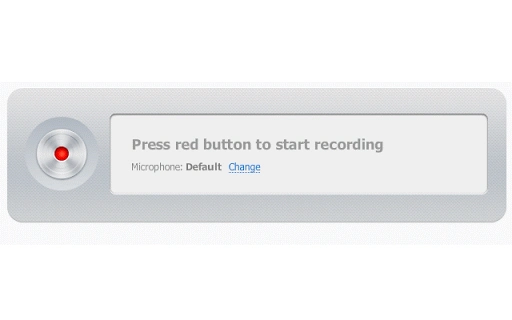
- Minimalist Interface – The software features a clean, uncluttered design focused on essential controls, reducing distractions and allowing users to start recording with just a few clicks.
- Free and Accessible – As a free tool, it removes financial barriers to entry, making it a practical option for individuals and organizations seeking basic audio recording without licensing costs.
These features support efficient workflows in educational, professional, and personal settings. For example, a student can record a lecture, trim irrelevant pauses, and save the file for later review. Similarly, a remote worker might use the tool to capture quick voice notes during a brainstorming session. The absence of complex settings ensures that users can begin recording immediately, minimizing setup time and maximizing productivity.
User Interface, Workflow & Performance
The user interface of Online Voice Recorder is designed around simplicity and ease of use. The main window presents a central recording button, with minimal additional controls such as a play/pause function and a trim tool. Navigation is intuitive, with no layered menus or hidden options, allowing users to focus on the recording task. The workflow follows a linear path: start recording, pause or stop, preview the audio, trim if needed, and save the file. This streamlined approach reduces cognitive load and supports rapid task completion. The developer did not specify resource usage details, so performance behavior in terms of CPU or RAM consumption remains unknown. However, given the software’s small size (10 MB) and focus on basic audio capture, it is expected to operate efficiently on modern systems. Stability is assumed to be consistent with typical lightweight desktop applications, though real-world testing data was not provided. No known compatibility issues were reported, and the application appears to launch and function reliably under normal conditions.
Compatibility & System Requirements
Online Voice Recorder is compatible with both Windows and Mac operating systems, offering broad accessibility across personal and professional environments. The software is available in version 1.0 and has a file size of 10 MB, indicating a lightweight installation that requires minimal disk space. The developer did not provide additional system requirements, so exact hardware specifications such as processor speed, RAM, or graphics capabilities remain unspecified. Platform compatibility information is limited to the operating systems listed. Users are advised to ensure their system meets standard requirements for running desktop applications, particularly those involving audio input. The application does not appear to rely on external dependencies or cloud services, suggesting it operates independently after installation. For users on older systems, performance may vary depending on audio driver support and microphone availability.
Pros and Cons
Pros
- Free to download and use with no hidden costs
- Simple, intuitive interface ideal for beginners
- Lightweight at just 10 MB in size
- Supports basic audio editing with trimming functionality
- Works on both Windows and Mac platforms
Cons
- No advanced editing features such as noise reduction or effects
- Exact system requirements were not listed
- Limited to microphone input; no support for external audio sources
- No built-in cloud sync or sharing options
- Developer background and support details were not provided
FAQ Section
Is Online Voice Recorder compatible with Windows and Mac?
Yes, the software is designed to run on both Windows and Mac operating systems, providing cross-platform access for users across different environments.
Is the software free to use?
Yes, Online Voice Recorder is available at no cost. There are no subscription fees or in-app purchases required for full functionality.
Can I edit my recordings after saving?
Yes, the application includes a trim feature that allows users to remove unwanted sections of a recording before saving the final file.
Does the software require an internet connection?
The application is described as a desktop tool, suggesting it operates offline. However, since it is categorized under Chrome Apps, users should verify whether it requires a Google account or online access for certain functions.
How often are updates released?
Updates are not specified in the provided information. Users should check the official source for the latest version and any available patches or improvements.
Final Thoughts + CTA
Online Voice Recorder delivers a focused, no-nonsense solution for users seeking a simple way to capture audio from their microphone. With its clean interface, basic editing tools, and cross-platform availability, it stands out as a practical choice for individuals who prioritize ease of use over advanced features. While it lacks sophisticated audio processing capabilities, its lightweight design and free access make it a reliable tool for everyday recording tasks. Students, remote workers, and casual users will benefit most from its straightforward workflow and minimal setup. For those who need more than basic recording and trimming, additional software may be required. Nevertheless, for its intended purpose, Online Voice Recorder performs effectively and efficiently. Download Online Voice Recorder now.
Guides & Tutorials for Voice Recorder App for Chrome
How to install Voice Recorder App for Chrome
- Click the Preview / Download button above.
- Once redirected, accept the terms and click Install.
- Wait for the Voice Recorder App for Chrome download to finish on your device.
How to use Voice Recorder App for Chrome
This software is primarily used for its core features described above. Open the app after installation to explore its capabilities.
User Reviews for Voice Recorder App for Chrome 0
No reviews found





